
StoryGraph
The StoryGraphBooks & Reference
4.61.24K Reviews
- Version
- 1.29
- Installs
- 1.00M
- Age Rating
- Teen
Screenshots
Our Review of StoryGraph
 Analysis by Appyee
I use a reading tracker most when I’m between books: I know I want something to read, but I’m not sure what mood I’m in. StoryGraph is built for that moment as well as for keeping a record of what I finish. It is a free books-and-reference app from The StoryGraph, with a Teen age rating and optional in-app purchases. Its appeal is less about replacing the pleasure of reading than helping me notice what I enjoy and make my next choice with more intention.
How the app fits into a reading routine
The current Android release is version 1.28, and the app has been available since June 22, 2021. It has an average rating of 4.3 from around 6,100 ratings, with over one million installs. Those figures suggest that it has found a sizeable audience, but what matters more to me is its particular approach: it combines a personal reading log with recommendations shaped around mood and topics, rather than treating a book list as the whole experience.
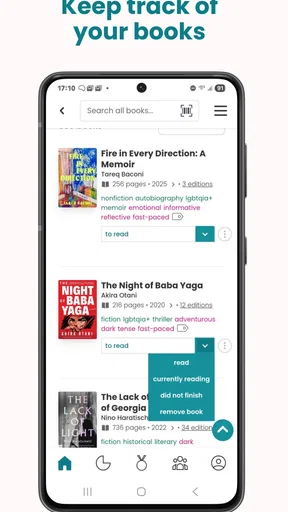
When I first launched StoryGraph, I was greeted by a delightfully clean and intuitive interface. No unnecessary frills here, folks. Setting up was a breeze, and I loved how the app immediately felt like a personal space, ready to house my reading adventures. Signing up took just a few moments, and I was quickly on my way to tracking my reading habits.
One thing that stood out right away was the easy navigation. Whether you’re tech-savvy or a bit of a Luddite, you’ll find maneuvering through the app a piece of cake. It’s all about simplicity, which, trust me, your brain will thank you for after a long day.
For a practical first use, I’d start by logging a few books I’ve already read, then pay attention to which preferences I’m setting and which recommendations feel relevant. That gives the app more useful context than expecting a perfect match from a blank profile. I’d also treat early suggestions as a shortlist, not a verdict: recommendation systems can help me find a direction, but I still want to check whether a book’s subject and tone suit me before committing.
Recommendations that start with reading mood
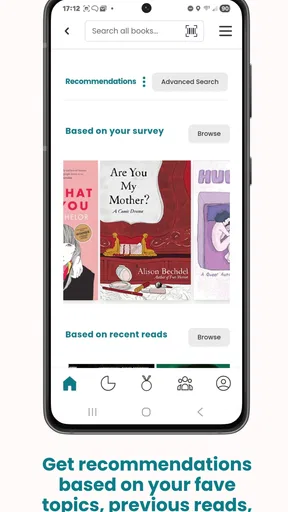
Now, onto the meat and potatoes. The app’s standout feature is its personalized recommendations. Unlike other platforms that just throw popular titles your way, StoryGraph dives deep into your reading habits to suggest books that truly match your tastes. It’s like having a personal librarian who knows all your quirks!
The mood angle is useful because genre alone can be a blunt filter. I might like fantasy but not want an intense, bleak read tonight; another day, I might be actively looking for something challenging. Thinking about what I want from a book before browsing can narrow the field without forcing me to follow whatever is currently popular. I find that especially helpful when my usual reading tastes are broad or change with the season.
There is a trade-off, though: recommendations are only as personal as the information I give the app and the reading history it can work from. If I have a small or mixed-up catalogue, suggestions may initially feel less tailored. I’d use that early period to explore rather than judge the whole feature, and I wouldn’t add books inaccurately just to make the recommendations look more confident.
Reading statistics with a purpose
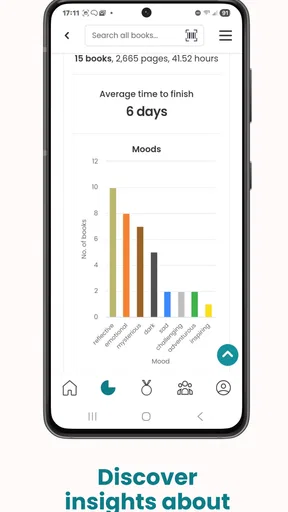
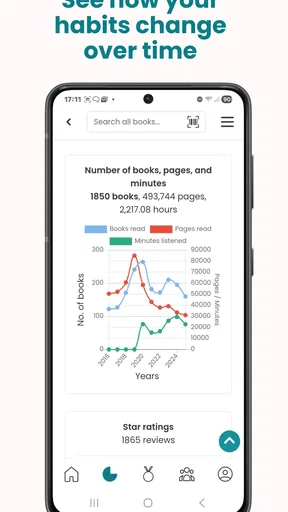
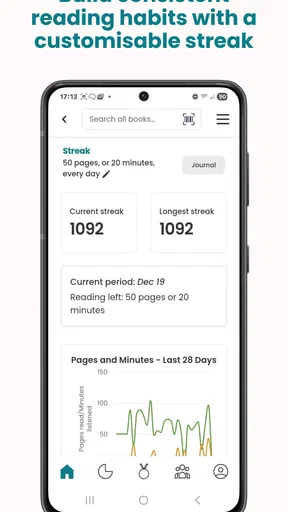
Another feature that’s worth a mention is the in-depth analytics. I’m talking detailed stats about your reading patterns — think of it as your personal reading coach. You can see how many books you’ve read, your preferred genres, and even your reading pace. It's the perfect tool for setting and smashing those reading goals.
My advice is to use the numbers as a mirror, not a scoreboard. Looking at patterns can help me spot that I’m reaching for a particular kind of book or drifting away from one I thought I liked. It can also make a modest goal feel more concrete. But a slow month does not mean I have failed at reading; life changes, and a tracker can make that variation visible without needing to turn it into pressure.
A useful habit is to check statistics when choosing what to read next, rather than repeatedly opening them just to monitor progress. If my recent choices have all felt similar, I can use that observation to deliberately pick something different. That is a more satisfying use of analytics than chasing a bigger total, and it keeps the app connected to actual reading decisions.
Challenges and a quieter kind of community
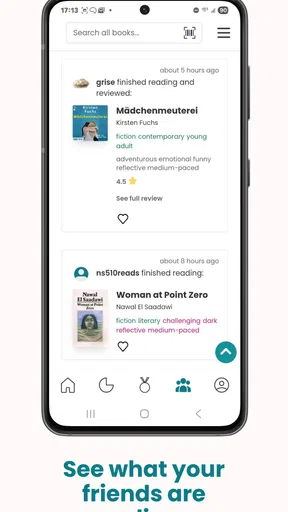
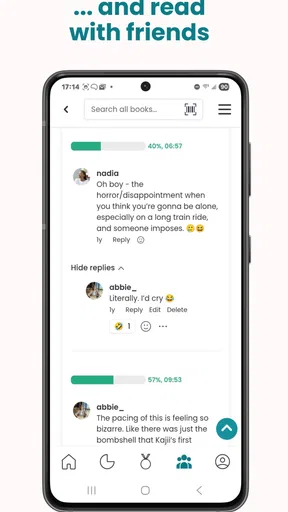
StoryGraph also shines in its community aspect. While it’s not as flashy as some social media platforms, it offers just the right amount of interaction for those who prefer to keep things low-key. You can join challenges, share reviews, and connect with like-minded readers without feeling overwhelmed by notifications.
There’s a lovely sense of camaraderie among users, and the app makes it easy to discover new books through community-driven challenges. It’s like being part of a giant book club, minus the awkward meetings and pressure to finish a book you’re not vibing with.
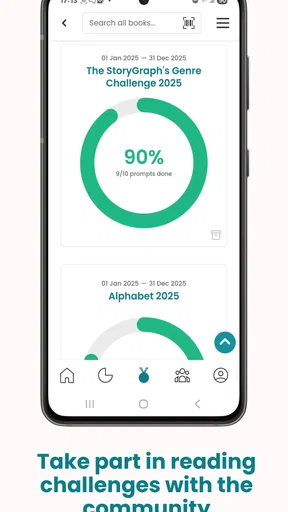
Challenges work best for me when their prompts act as invitations rather than obligations. I can use one to break out of a reading rut, then skip a prompt that does not fit my interests. That flexible approach is important: a challenge should help me choose, not leave me feeling that I owe the app a particular book. Readers who want a lively feed or constant conversation may find this quieter style limited, but it suits people who want some shared discovery without making reading another social performance.
Personal settings and day-to-day use
One of the things I adore about StoryGraph is how customizable it is. You can tweak settings to get just the right vibe, whether you want monthly reading goals or specific genre recommendations. The app respects your preferences and allows you to focus on what truly matters — enjoying your reads.
From dark mode options to various data displays, StoryGraph tailors itself to fit your needs. It’s all about giving you control, and who doesn’t love a bit of power in their hands?
In an ordinary week, I’d use it in small bursts: log a book when I finish it, glance at a recommendation when I’m ready for another, and check a reading pattern when I want to change up my choices. That is more sustainable than turning every reading session into data entry. If I tend to forget to record books, I’d make updating the tracker part of finishing a book, while keeping notes short enough that the habit does not become a chore.
Compared with a basic notes app or a simple book list, StoryGraph offers a more structured record and discovery process. A spreadsheet can be more flexible for someone who enjoys designing their own tracking system, while a broad social reading service may suit someone who wants a busier feed and more public interaction. I see StoryGraph as the middle ground: more reflective than a bare list, but not something I’d choose primarily for social networking.
Who will get the most from it
I’d recommend it to readers who enjoy looking back at their reading, want help choosing books beyond a bestseller list, or like having gentle goals and challenges. It can be especially useful for someone whose tastes are hard to describe with a single genre, because mood and topic can make browsing feel more personal. It also suits a reader who wants a record without needing to build one from scratch.
I would skip it if I only want a quick list of titles, have no interest in tracking, or dislike recommendations based on past activity. Readers who want to manage a large private catalogue with their own fields may be happier in a spreadsheet or a dedicated collection tool. And if social discussion is the main reason I’m looking for a reading app, I’d compare its quieter community with more conversation-focused alternatives before settling in.
The app is free to start, with in-app purchases ranging from about $4.99 to $49.99 per item. I’d first decide whether I actually use the core tracking and discovery routine before considering any purchase. The free entry point makes it easy to see whether the approach fits, while the available purchases mean it is worth checking the terms in the app before buying anything.
What has changed, and what I would watch
The release history gives a concrete point of reference: StoryGraph first appeared on June 22, 2021, and its current Android version is 1.28. That shows the app has moved beyond its initial release, but a version number alone does not tell me which particular features have changed or how each update affects the experience. I would avoid assuming that a newer number means a specific redesign or new tool.
For someone already using it, the sensible approach is to keep the app updated and judge changes by whether the daily tasks that matter still feel straightforward: logging a book, finding a suitable next read, and making sense of the reading record. I’d also watch for changes to the recommendation and challenge experience, since those are central to how this app differs from a plain tracker. What I want from future development is not simply more screens, but continued attention to making discovery useful without making the hobby feel like homework.
A measured recommendation
So, is StoryGraph worth your time? Absolutely! It’s a refreshing take on reading apps, offering a balanced mix of personalization, community, and insightful analytics. Whether you're a casual reader or a hardcore bibliophile, this app has something to offer you.
If you’re tired of the same old reading apps and want something that feels both personal and innovative, give StoryGraph a try. Trust me, your future reading self will thank you for it!
My endorsement comes with one qualification: the app works best when I want to reflect on my reading, not when I want to turn every book into a target. I’d give its suggestions time to learn my tastes, use the stats to guide rather than judge myself, and treat challenges as optional prompts. With that mindset, it can be a genuinely helpful companion for choosing what to read next and remembering what I have already enjoyed.
Verdict
Strengths of StoryGraph
- User-friendly and intuitive interface.
- Detailed book recommendations tailored to your taste.
- Tracks multiple reading goals easily.
- Diverse community for book discussions.
- No ads, ensuring a seamless experience.
Limitations of StoryGraph
- Limited social features compared to Goodreads.
- Occasional syncing issues with reading devices.
- Smaller database than some competitors.
- Requires internet for full functionality.
- Some features behind a paywall.
Similar Picks in This Category
View All
Google Play Books & Audiobooks
Google LLC4.7

네이버 - NAVER
NAVER Corp.3.5

Wattpad - Read & Write Stories
Wattpad.com3.7

King James Bible - Verse+Audio
Ozion4.8

Bible Offline-KJV Holy Bible
Bíblia Offline4.9

Amazon Kindle: Reading App
Amazon Mobile LLC4.8
Frequently Asked Questions
What is StoryGraph and how does it differ from other reading apps?
StoryGraph is a reading tracking app that allows users to log, rate, and review books. Unlike other platforms, it emphasizes personalized recommendations based on your reading preferences and mood. It also offers detailed statistics and insights about your reading habits, helping you better understand and manage your reading goals.
Is StoryGraph free to use, and are there any premium features?
StoryGraph offers a free version with core functionalities like logging books and receiving recommendations. For users seeking advanced features, such as more detailed statistics and personalized insights, StoryGraph Plus is available as a premium subscription, providing an enhanced reading experience.
How does StoryGraph enhance my reading experience with recommendations?
StoryGraph uses an algorithm that analyzes your reading preferences, moods, and past ratings to suggest books that align with your interests. This personalized approach ensures that recommendations are tailored to what you enjoy, helping you discover new books that you are more likely to love.
Can I import my reading data from Goodreads to StoryGraph?
Yes, StoryGraph allows users to import their reading data from Goodreads. The process is straightforward, ensuring that you can seamlessly transition your reading lists, reviews, and ratings without losing any information. This feature makes it easy for users switching from Goodreads to start using StoryGraph.
What kind of data insights can I expect from StoryGraph?
StoryGraph provides detailed insights into your reading habits, including the number of books read, average book length, genres, and mood preferences. These statistics help you understand your reading patterns and make informed decisions about your future reading goals. The app’s analytics are one of its standout features.
